
Description
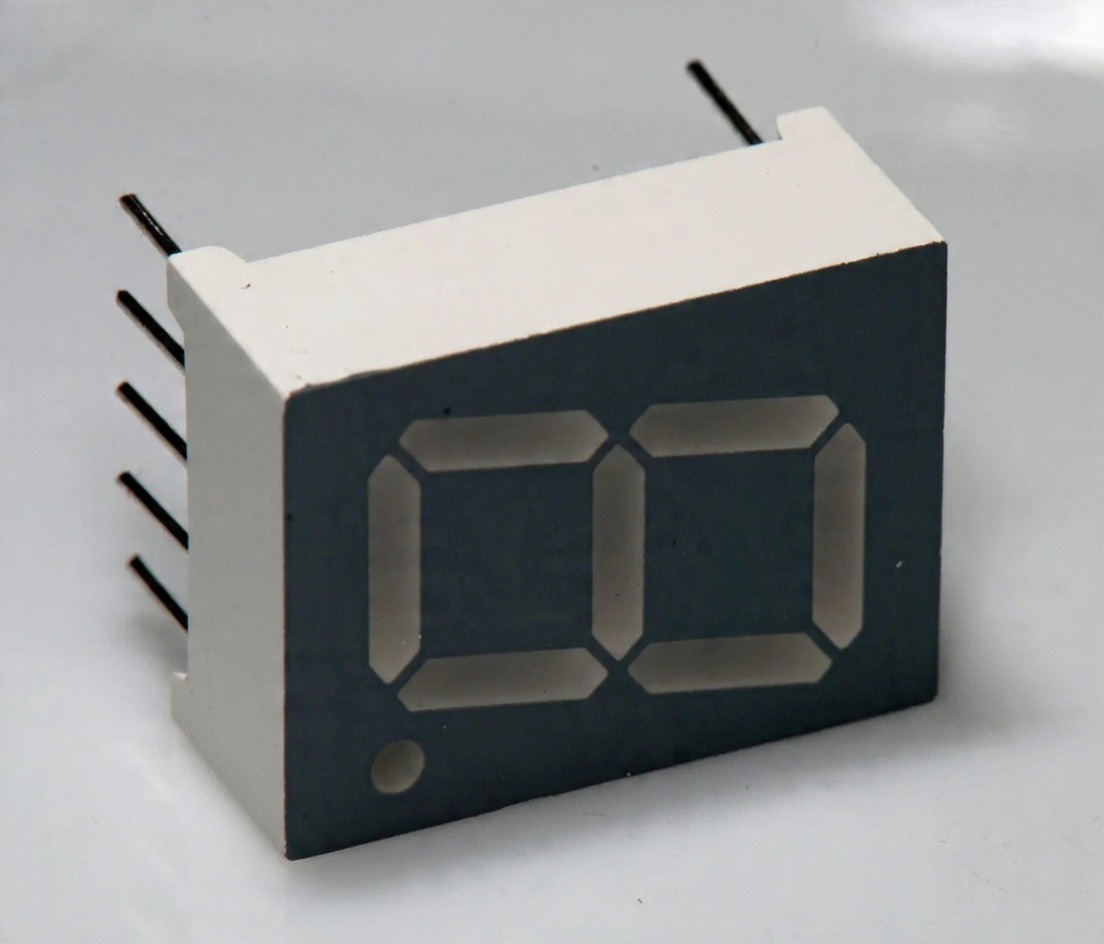
The 7 Segment Display 0.5 Inch Common Anode is a compact LED display designed for clear and reliable numeric indication in embedded and electronics projects. It contains seven LED segments plus a decimal point (DP), allowing it to display digits from 0 to 9 as well as several basic alphabetic characters.
In the Common Anode (CA) configuration, the common pins are connected to the positive supply, while the individual segment pins are controlled to illuminate the required LEDs. This display is suitable for direct connection to compatible microcontrollers or dedicated display driver and counter ICs.
7-segment LED displays are widely used where a simple, bright, and easily readable numeric display is required.
Key Features
- 0.5-inch 7-segment LED display
- Common Anode (CA) configuration
- Seven segments plus decimal point
- Displays digits 0–9 and selected letters
- Bright LED illumination
- Low-current operation
- Simple 10-pin interface
- Easy to connect with microcontrollers
- Can be used with display driver and counter ICs
- Suitable for single and multi-digit displays
- Available in different sizes and LED colors depending on variant
Specifications
| Specification | Details |
|---|---|
| Display Type | 7-Segment LED |
| Display Size | 0.5 Inch |
| Configuration | Common Anode |
| Number of Segments | 7 + Decimal Point |
| Number of Pins | 10 |
| LED Current | Approx. 30mA per segment |
| Peak Current | Up to 70mA |
| Display Function | Numeric / Basic Alphanumeric |
| Decimal Point | Yes |
| Operating Method | MCU or Driver IC |
| Common Pin | Positive Supply for Common Anode |
| Available Colors | White, Blue, Red, Yellow, Green* |
*Color and physical size may vary depending on the specific display variant.
7-Segment Display Structure
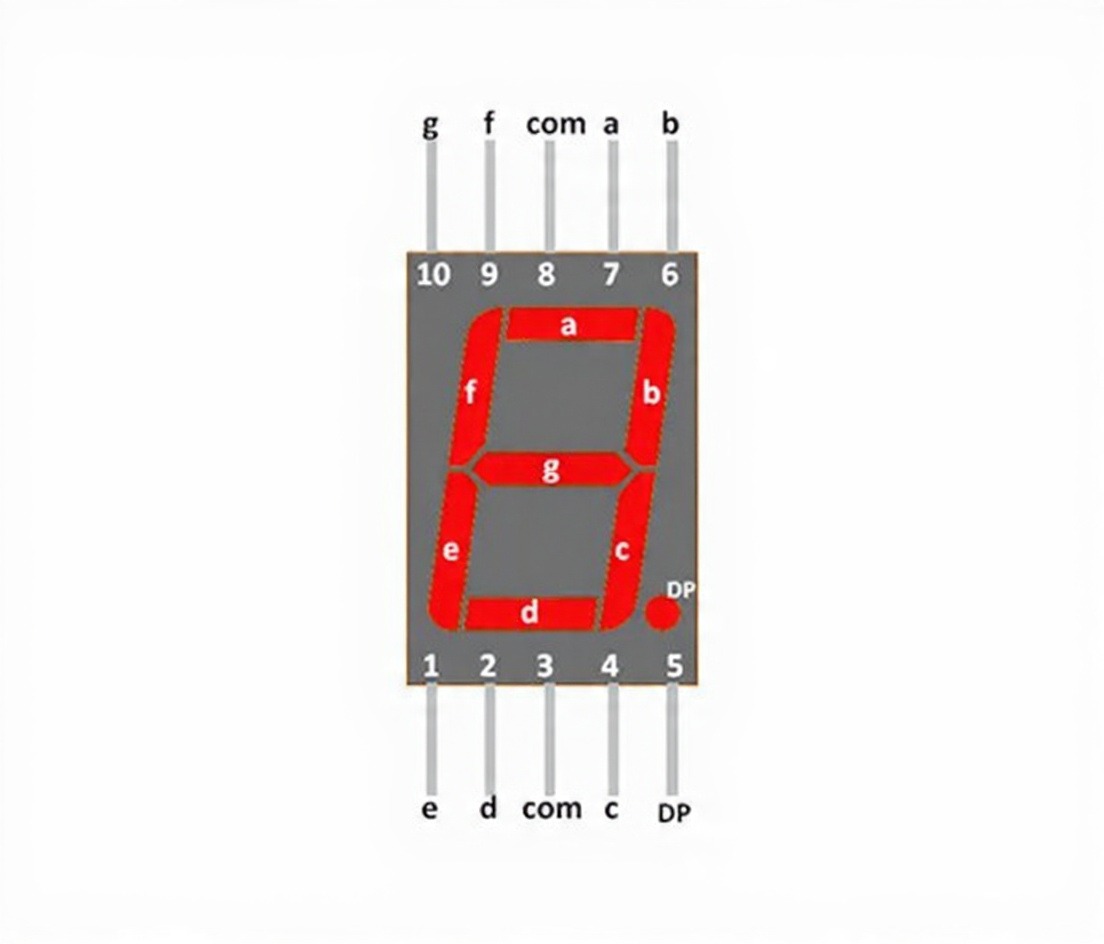
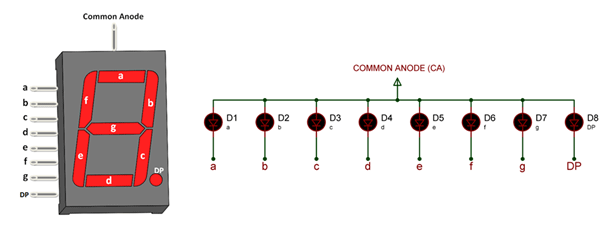
The display consists of eight LED elements identified as a, b, c, d, e, f, g, and DP. By controlling these segments in different combinations, numbers and basic characters can be displayed.
The DP segment is used to show a decimal point when required, making the display useful for measurements such as voltage, temperature, counters, and other numeric values.
Pin Configuration
| Pin No. | Pin Name | Description |
|---|---|---|
| 1 | e | Controls lower-left segment |
| 2 | d | Controls bottom segment |
| 3 | COM | Common anode connection |
| 4 | c | Controls lower-right segment |
| 5 | DP | Controls decimal point |
| 6 | b | Controls upper-right segment |
| 7 | a | Controls top segment |
| 8 | COM | Common anode connection |
| 9 | f | Controls upper-left segment |
| 10 | g | Controls center segment |
Common Anode Operation
In a Common Anode 7-segment display, the common anode pins are connected to the positive supply. Individual segment pins are then controlled to turn the required LED segments ON or OFF.
The electrical control logic is different from a Common Cathode (CC) display, so make sure your circuit and program are designed specifically for the Common Anode configuration.
Using the 7-Segment Display
The display can be operated using a microcontroller such as Arduino or another compatible MCU. The segment pins are connected to digital I/O lines, while the common anode is connected to the appropriate positive supply.
For simple applications, dedicated counter or display driver ICs can also be used to control the display without requiring a full microcontroller system.
Digit Display
Different numbers are created by illuminating specific combinations of the a–g segments. The decimal point can be controlled separately through the DP pin.
| Digit | Segments Used |
|---|---|
| 0 | a, b, c, d, e, f |
| 1 | b, c |
| 2 | a, b, d, e, g |
| 3 | a, b, c, d, g |
| 4 | b, c, f, g |
| 5 | a, c, d, f, g |
| 6 | a, c, d, e, f, g |
| 7 | a, b, c |
| 8 | a, b, c, d, e, f, g |
| 9 | a, b, c, d, f, g |
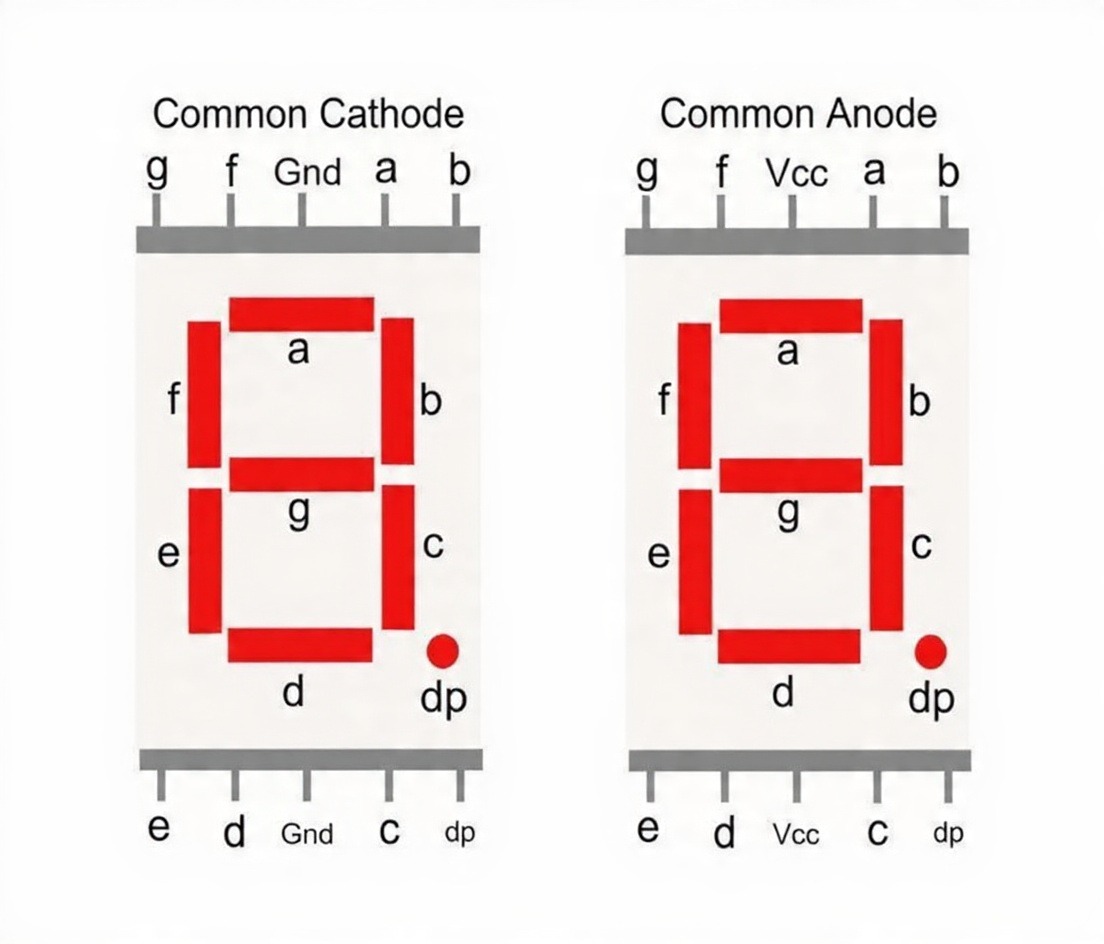
Common Anode vs Common Cathode
When selecting a 7-segment display, it is important to choose the correct configuration. Common Anode and Common Cathode displays use different electrical connections and control logic. A circuit or program designed for one type may not operate correctly with the other.
Applications
- Digital clocks and timers
- Electronic counters
- Voltage and current meters
- Temperature displays
- Sensor value indicators
- Arduino projects
- Microcontroller projects
- Calculator-style displays
- Measurement instruments
- Industrial control panels
- Multi-digit numeric displays
- DIY electronics projects
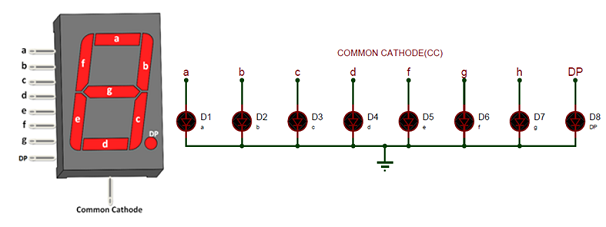
Common Cathode (CC) 7 Segment Display
The common cathode display is commonly called CC display. In this type the common pin on the 7-segment display is connected to all the eight Cathode pins of the LEDs. So In order to make this type of seven segment display to work we should connect he Com pin to the Ground pin and power the other pins with Vcc (+5V typically).
Common Anode (CA) 7 Segment Display
The common anode display is commonly called CA display. In this type the common pin on the 7-segment display is connected to all the eight Anode pins of the LEDs. So In order to make this type of seven segment display to work we should connect he Com pin to the Vcc (+5V typically) and ground the required segment pin to turn it on.
Reviews
There are no reviews yet.